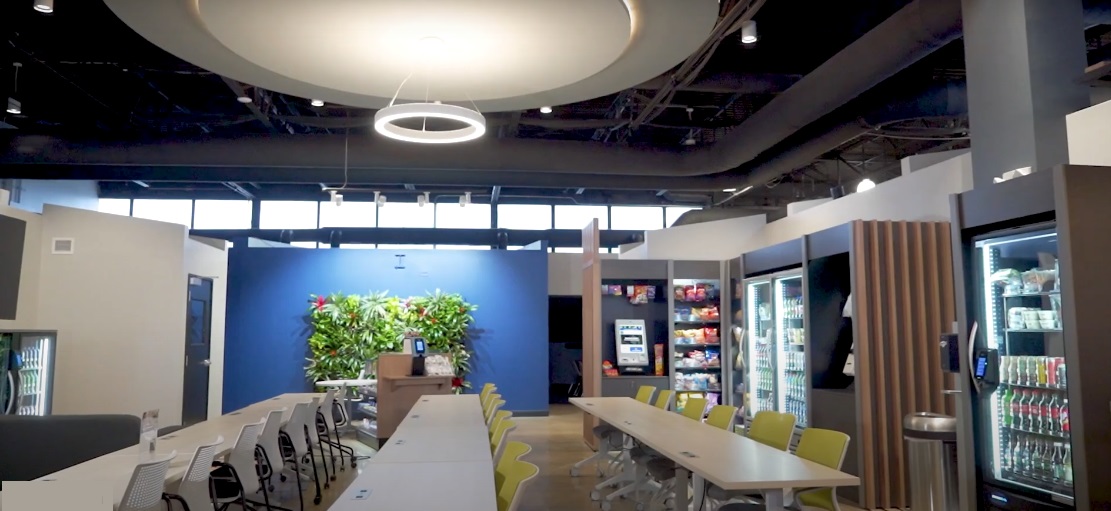
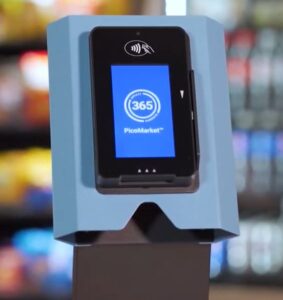
The best kiosk for your micro market depends on your location size, traffic, and employee habits and even where you plan to place it: floor-standing, countertop or on a sturdy kitchen countertop in the breakroom. Look for a system that’s fast, intuitive, and integrates payment, security, and inventory tracking. Smart kiosks like 365 PicoCooler, Delio Smart Market Kiosk and Yoke POS are leading choices for small to mid-sized workplaces.
What Is a Micro Market Kiosk and Why Does It Matter?
A micro market kiosk is the self-checkout hub where customers scan, pay, and finalize purchases. It’s essentially the “cashier” of your unattended market, managing everything from transactions to product tracking.
Why It’s Crucial
Your kiosk experience determines how easy it is for employees to shop. A confusing or slow kiosk can lower sales and frustrate users, even if the products are great.
Key Features Every Good Kiosk Should Have
-
Fast checkout process (tap, scan, and go)
-
Multiple payment methods (card, mobile wallet, fingerprint, or facial recognition)
-
Remote monitoring and restock alerts
-
Loyalty and rewards program integration
-
Easy interface for non-tech-savvy users
Example:
At a warehouse in Dallas, switching from a tablet-based checkout to a full touchscreen kiosk increased average daily transactions by 27% and cut checkout time in half.
What to Look for When Selecting a Micro Market Kiosk
Choose a kiosk that matches your location’s size, traffic, and budget — while providing a seamless user experience and secure payment integration.
Step-by-Step Decision Guide
-
Evaluate Your Market Size
-
Under 75 employees → compact kiosk or smart cooler with built-in kiosk.
-
75–250 employees → mid-size touchscreen kiosk with camera and payment options.
-
250+ employees → dual kiosk setup for high traffic and fast checkout.
-
-
Consider Your Location Type
-
Office or corporate site: sleek design, integrated loyalty programs.
-
Warehouse or factory: rugged screen, minimal maintenance.
-
Public access areas: enhanced security and cashless-only systems.
-
-
Check Compatibility
-
Syncs with your vending or POS software (e.g., 365, Cantaloupe, Nayax).
-
Connects with your inventory and telemetry systems for live tracking.
-
-
Prioritize Ease of Use
-
Intuitive layout with clear product categories.
-
Visual prompts and touchscreen responsiveness.
-
-
Assess Security
-
Built-in camera or RFID sensor to prevent theft.
-
Data encryption for payments and transactions.
-
Which Kiosk Systems Are Best for Micro Markets?
The top-performing kiosks balance functionality, speed, and service support. Below are the most reliable options based on real-world performance in U.S. workplaces.
1. 365 PicoCooler
-
Best for small spaces or low-traffic locations.
-
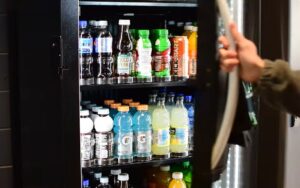
Combines a cooler with built-in smart kiosk using AI vision technology.
-
Allows open-door shopping — scans items automatically.
-
Works perfectly for offices with 25–80 users.
Why It’s Great:
It uses advanced product recognition and integrates seamlessly with the 365 Markets ecosystem for real-time analytics.
2. Yoke POS (by Cantaloupe)
-
A tablet-based kiosk system that’s affordable and flexible.
-
Integrates with coolers, freezers, and open-shelf markets.
-
Accepts credit, debit, and mobile payments.
-
Cloud-based dashboard with live reporting.
Best For:
Small businesses that want to test a micro market concept before scaling up.
3. Cantaloupe Smart Café
-
Designed for enterprise-level markets with high transaction volumes.
-
Integrates with Cantaloupe’s Seed platform for detailed sales analytics.
-
Includes touchscreen interface, camera verification, and loyalty programs.
Why It Stands Out:Its data-driven design helps operators reduce waste, track profitability, and plan smarter product rotations.
4. Delio Smart Market Kiosk
-
Designed specifically for Texas workplaces that want a clean, reliable, and fast self-checkout experience.
-
Integrates seamlessly with Delio’s live monitoring system, allowing instant restock alerts, real-time sales data, and transaction tracking.
-
Features a touchscreen interface, contactless payment options, and built-in employee purchase accounts for convenience
Why It Stands Out:
Delio’s Smart Market Kiosk is engineered for performance and simplicity. It gives both operators and clients total visibility into product movement, reduces downtime through automated alerts, and makes every transaction seamless, helping businesses run smoother, save time, and create a better breakroom experience.
Why the Right Kiosk Improves Sales and Experience
A well-chosen kiosk creates a smooth shopping experience, leading to more frequent purchases and happier employees.

How It Boosts Performance
-
Faster checkout: Shorter lines, more convenience.
-
Fewer errors: Accurate inventory and pricing updates.
-
Higher trust: Employees feel safe using secure payment systems.
-
Better data: Operators know what sells and when to restock.
Real-World Example
A corporate office in Frisco replaced their old kiosk with a new Cantaloupe system. The result:
-
35% increase in snack sales.
-
50% fewer user errors.
-
Employees started using the loyalty app for meal credits, creating recurring daily use.
How to Maintain and Monitor Your Micro Market Kiosk
Regular software updates, data monitoring, and employee feedback keep your kiosk running smoothly and your market profitable.
Actionable Maintenance Tips
-
Perform weekly checkups: Ensure scanner and screen are clean and responsive.
-
Monitor data remotely: Track low stock and popular items in real time.
-
Update software monthly: Prevent glitches and enhance payment security.
-
Rotate products quarterly: Keep offerings fresh and relevant.
-
Encourage feedback: Ask users for suggestions to improve checkout speed or design.
Pro Insight:
Some operators forget to clean scanner glass regularly — a simple 30-second task that prevents countless failed scans and frustrated users.
Common Questions on Choosing Micro Market Kiosks
Q1. What’s the difference between a smart cooler and a kiosk?
A smart cooler has a built-in checkout system with automatic item recognition, while a kiosk is a separate self-checkout station for open-shelf markets.
Q2. Do I need multiple kiosks?
For markets with 200+ users or high traffic, two kiosks reduce wait times and prevent downtime during maintenance.
Q3. Are kiosks secure for unattended environments?
Yes — most include cameras, purchase tracking, and real-time alerts to detect theft or errors.
Q4. Can kiosks accept cash?
Many modern systems are cashless, though hybrid models exist for factories or public spaces.
Q5. How much do kiosks cost?
Expect to pay between $2,000–$5,000 depending on features and integration. Some vending providers offer kiosks as part of a service package with no upfront cost.
Q6. How do I train employees to use the kiosk?
Simple one-page guides or 2-minute tutorials usually suffice. Most kiosks have on-screen prompts for first-time users.
Final Thoughts: Make the Kiosk Your Market’s Heartbeat
Your kiosk is the command center of your micro market. it controls flow, drives sales, and shapes how people perceive your brand.
If you’re setting up your first market, start with a system that’s:
-
Reliable and user-friendly
-
Backed by responsive support
-
Integrated with your vending software
Whether you’re managing a 30-person office or a 300-employee facility, the right kiosk is not just hardware, it’s the key to a seamless breakroom experience that runs itself.
Key Takeaways
-
Match kiosk type to your space and employee count.
-
Prioritize ease of use, security, and payment flexibility.
-
Choose vendors with proven uptime and customer support.
-
Use data analytics to continuously optimize performance.
-
Don’t overlook training, cleaning, and maintenance for long-term success.